Every variable in C occupies a fixed number of bytes in memory, and the sizeof operator tells you exactly how many. This program prints the size of all the basic data types in C, and the table below shows why the answer is not the same on every computer.
C program to display the size of different data types
#include <stdio.h>

int main(void) {
    printf("Size of char        : %zu byte\n", sizeof(char));
    printf("Size of short       : %zu bytes\n", sizeof(short));
    printf("Size of int         : %zu bytes\n", sizeof(int));
    printf("Size of long        : %zu bytes\n", sizeof(long));
    printf("Size of long long   : %zu bytes\n", sizeof(long long));
    printf("Size of float       : %zu bytes\n", sizeof(float));
    printf("Size of double      : %zu bytes\n", sizeof(double));
    printf("Size of long double : %zu bytes\n", sizeof(long double));
    printf("Size of a pointer   : %zu bytes\n", sizeof(void *));
    return 0;
}
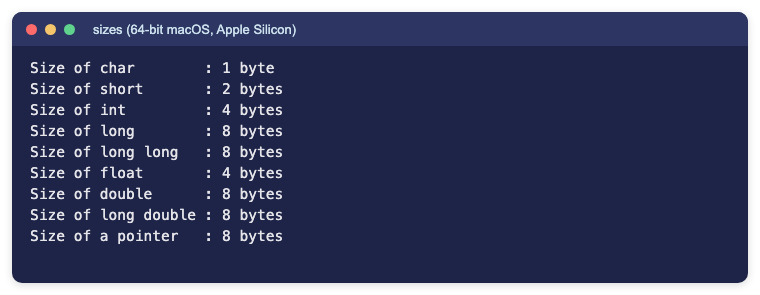
Output (64-bit macOS on Apple Silicon):
Size of char        : 1 byte
Size of short       : 2 bytes
Size of int         : 4 bytes
Size of long        : 8 bytes
Size of long long   : 8 bytes
Size of float       : 4 bytes
Size of double      : 8 bytes
Size of long double : 8 bytes
Size of a pointer   : 8 bytes
How the program works
sizeof(type)is evaluated by the compiler and gives the size of the type in bytes.- The result has the type
size_t, so it is printed with the%zuformat specifier. sizeof(char)is always 1 by definition; the other sizes depend on the platform.
Sizes on different platforms
The C standard only sets minimum sizes, so compilers choose sizes that suit each platform. These values come from the compiler for each target:
| Type | Linux / Intel Mac (64-bit) | Apple Silicon Mac | Windows 64-bit | Linux 32-bit |
|---|---|---|---|---|
| char | 1 | 1 | 1 | 1 |
| short | 2 | 2 | 2 | 2 |
| int | 4 | 4 | 4 | 4 |
| long | 8 | 8 | 4 | 4 |
| long long | 8 | 8 | 8 | 8 |
| float | 4 | 4 | 4 | 4 |
| double | 8 | 8 | 8 | 8 |
| long double | 16 | 8 | 8 (MSVC) / 16 (MinGW) | 12 |
| pointer | 8 | 8 | 8 | 4 |
The most common surprise is long: it is 8 bytes on 64-bit Linux and macOS but only 4 bytes on 64-bit Windows. If you need an exact size, use the fixed-width types from <stdint.h> such as int32_t and int64_t.
Frequently asked questions
Why is %zu used instead of %d?
sizeof returns a size_t, which is an unsigned type. %zu is the correct format specifier for it; %d may print wrong values or trigger compiler warnings.
Is the size of int always 4 bytes?
No. The standard only guarantees at least 16 bits. On today’s desktop systems it is almost always 4 bytes, but some embedded systems use 2 bytes.
How do I find the size of a variable?
Use sizeof on the variable itself, for example sizeof(x), or on an array to get its total size in bytes.